

Yearly
$199$348
for 12 months · vs $29 a month
- 12 months of AutoReel, 1,000 reels
- Style Setup included
$149 - Every feature, every update
One payment · then $199/year · cancel anytime
Not sure yet? Start the $1 trial pxlsafeadobe video partnerEdit my reel. Now.
Loved by creators and editors
A plugin for Premiere that edits talking-head videos into reels: one take in, one 30–60 second reel out, with your best take, no pauses, captions, color and sound.One take in, a 30–60 second reel out: your best take, no pauses, captions, color and sound.
On your phone? Start now, install on your computer later.
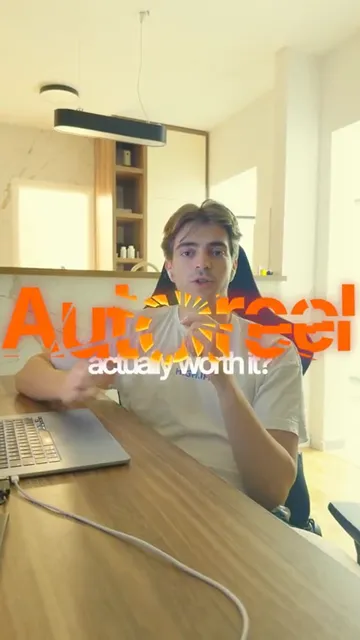
One take, straight from the camera, and the reel AutoReel made from it in Premiere.
AutoReel is actually insane. I used to waste so much time editing reels manually, but this plugin makes everything way faster and cleaner … If you edit short-form content, this is 100% worth it.
 Samir A.Verified buyer · Store review · Jun 2026
“Even though I already had my own editing workflow, AutoReel made it so much smoother. I used to spend so much time rough cutting my videos myself. Now I just pull up AR, and use my preset to do the rough cut and bad takes. My ONLY job now is to make the video look sick and flow well, which is what an editor is supposed to do... So glad this exists.”
 Austin R.Store review · Sep 2026
Left on AutoReel’s earlier store, which gave reviewers a coupon for a future purchase.
AutoReel turns one talking-head take into one 30–60 second reel. It isn’t a podcast clipper: it doesn’t pick clips out of a long recording.
Long recording, like a podcast or a stream? Cut out the part you want first, then run AutoReel on it.
New · Works with Claude & ChatGPT
Youfilmed a talking head today, need a reel for tonight. 45 sec, a hook that stops the scroll. go
AutoReel is cutting the reel
Done. Your reel is open in your Premiere project.

Start today, or try it 3 days for $1. Cancel anytime.
for 12 months · vs $29 a month
One payment · then $199/year · cancel anytime
Not sure yet? Start the $1 trialBilled monthly
Next: name, email and card on one page. About 30 seconds.
Not sure yet? Start the $1 trialSome bundled graphics require Premiere 2026.
The macOS helper requires macOS 13+.
Checkout is securely hosted by Dodo Payments.
Cancel before day 3 and nothing more is charged.
Compare: AI reel editors for Premiere · AutoReel vs FireCut · AutoReel vs AutoCut · AutoReel vs OpusClip · AutoReel vs AutoPod · AutoReel vs Descript
Yes, that’s AutoReel. Run it on your talking-head footage in Premiere and it edits it into a reel: it keeps your best take, cuts the double takes, ums, false starts and pauses, punches up the hook with zooms and text, and adds captions, color and sound effects. You get a new Premiere sequence to review and make yours. Clipping apps like OpusClip work differently: they cut short clips out of a long video in the browser (AutoReel vs OpusClip).
One person talking to the camera, 1 to 10 minutes, with your voice on the clip or synced to it. AutoReel turns that one take into one 30–60 second reel. It isn’t a podcast clipper: a long recording comes back as one long edit, not as clips. Long recording, like a podcast or a stream? Cut out the part you want first, then run AutoReel on it.
Premiere gives you the tools; AutoReel does the edit. With Premiere’s Text-Based Editing you still read the transcript and delete the pauses, retakes and false starts yourself, and its captions start out plain. AutoReel does the whole edit in one build: it picks your best take out of the retakes, cuts the ums and pauses, writes a hook title, adds styled captions, zooms, transitions, sound effects and music, cleans up your voice and mixes the sound. You get a finished reel as a normal Premiere sequence, and you can still change anything.
Yes, AutoReel is available now, with a 3-day trial for $1. Your download and install email arrives right after you start the trial.
Start the trial with your card and pay $1 today. You get 3 reels over 3 days. After day 3 your plan begins at $29/month, or $199/year ($16.58 a month). Cancel anytime before then and nothing more is charged, and you keep your trial until the 3 days are up. One trial per person.
AutoReel doesn’t lock exports, on the trial or on a plan, and adds no watermark. Your reel is a normal Premiere sequence, so export it like any edit: select the sequence and choose File > Export > Media. What the trial limits is making reels: 3 reels over 3 days, one trial per person and per computer. Once your 3 reels are used, or if the panel says the trial was already used on this computer, press Start my plan now in AutoReel to keep making reels. If Premiere itself won’t export, check that its bundled graphics opened (some need Premiere 2026) or email support@pxlsafe.com.
Use Premiere 2026 to access all bundled graphics. Some of those graphics are not available in earlier versions of Premiere. On Mac, the AutoReel helper requires macOS 13 or later. Your license is for one person on up to 2 devices.
Your purchase email includes your download link and step-by-step installation instructions. On Mac, you will install the AutoReel helper and the extension for Premiere; the helper requires macOS 13 or later. On Windows, you run the AutoReel installer (.exe) from the download page that email links to.
Your video files stay on your computer; the full video is not uploaded. Audio needed to transcribe your footage is uploaded for speech transcription, and transcript text is processed by AI services to guide the edit. Cuts, color, captions, and sound are applied in Premiere.
AutoReel transcribes 38 languages. You can choose English, Spanish, Portuguese, French, German, Italian, Dutch, Russian, Hindi, Japanese, Korean, Chinese, Arabic, Hebrew, Persian, Urdu, Bengali, Tamil, Telugu, Turkish, Greek, Czech, Hungarian, Romanian, Bulgarian, Serbian, Thai, Malay, Tagalog, Polish, Croatian, Ukrainian, Indonesian, Vietnamese, Swedish, Danish, Norwegian, or Finnish for speech transcription. AutoReel can also detect the spoken language automatically. For footage that switches between languages, the mixed-language option supports English, Spanish, French, German, Hindi, Russian, Portuguese, Japanese, Italian, and Dutch.
Yes. Open AutoReel in Premiere, choose Manage subscription, and cancel. Cancel during the 3-day trial and nothing more is charged.
Our AI reel editor guide compares AutoReel with other panels for Premiere, standalone apps and Premiere’s own tools, with a dated source for every fact about them. AutoReel vs FireCut puts the two closest side by side.
AutoReel vs AutoCut puts the two side by side: one build against a tool for each step. Our guides to removing silence and filler words in Premiere and to captions plugins for Premiere cover Premiere’s own Text-Based Editing and captions too, with the other plugins.

PxlSafe is an Adobe Video Technology Partner.
Adobe, Adobe Premiere and After Effects are either registered trademarks or trademarks of Adobe in the United States and/or other countries.