pxlsafeadobe video partnerChecked

Comparison · AI wedding film editors

WeddX vs Vowmatic for a wedding highlight film in Premiere Pro

Both build a first cut of the highlight film that you finish yourself.

WeddX is a Premiere Pro extension for Mac and Windows that builds the highlight film as a story right on your Premiere timeline, and in beta the full film of the day. Vowmatic is a Mac app for Apple silicon that syncs your cameras, builds multicam edits of the ceremony and toasts, a highlight rough draft (in beta) and vertical reels, and hands them to Premiere Pro, Final Cut Pro or DaVinci Resolve as files you import.

The lavender dove wedding-editor mascot weighs two cards on a balance: a Premiere timeline and a separate app with synced audio.

Which one fits you?

The same job, done two different ways. Here’s when each one is the better pick.

Fits better if…

Vowmatic

  • You want multicam edits of the ceremony and toasts that follow who’s speaking. Vowmatic’s page says its multicam edits pick the best camera at every moment, tracking speakers and reactions. WeddX syncs cameras only for its Feature film and Uncut, and switches angles on a steady rhythm.
  • You cut in Final Cut Pro or DaVinci Resolve, or move between editors. WeddX runs only in Premiere Pro.
  • You want separate vertical reels per part of the day, each cut to its own song.
  • You’d rather keep the video on your Mac. Its page says only still frames and text transcripts are sent to its AI.
  • You’d rather pay per wedding, or run a whole wedding free before you pay anything.
  • You only want the sorting. Its pricing page lists Selects plans that sort and rate clips without the edits, marked coming soon when we checked.
Fits better if…

WeddX

We make this
  • You edit on Windows or an Intel Mac. Vowmatic needs an Apple silicon Mac.
  • You also deliver the full film, or the whole ceremony. Feature film (beta) builds 20 to 60 minutes of the day in chapters, and Uncut lays out the whole ceremony and speeches on synced audio. Vowmatic’s help lists its Documentary edit as coming soon.
  • You want the highlight film built inside Premiere Pro, on your own timeline, rather than imported from another app.
  • You want to swap shots after the cut is built, inside Premiere: click a shot, pick one of the best alternatives, undo anytime.
  • You want the finishing in the same place: color, black-and-white moments, film burns, titles, 16:9 or 9:16 export, and a preview link the couple can leave notes on.
  • You edit as a team. WeddX plans include 1, 2 or 5 seats.
  • You want to try it on a real wedding first. The trial is 3 days for $1, with 5 analysis hours.

How WeddX builds a first cut

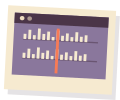
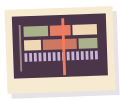
Screen recordings of the panel in Premiere Pro. We make WeddX; this is what the trial gives you.

It watches the whole dayDrop in every card. WeddX tags getting ready, the ceremony, speeches and the dance floor, and scores each take so the best moments rise to the top.
Start the $1 trial

Try WeddX on a real wedding: 3 days for $1, with 5 analysis hours.

A walkthrough with the founder and a real wedding cut by WeddX are on the WeddX page.

Side by side

As of 21 October 2026.

Left: WeddX, from our own pages. Right: Vowmatic, from its pages. “Not stated” means the cited pages don’t say. Prices are in USD as listed on 21 October 2026.

WeddX and Vowmatic, as of 21 October 2026.
QuestionWeddX (us)Vowmatic
Where it runsSource: pxlsafe.com/weddx · vowmatic.ai · Vowmatic help: your editorInside Premiere Pro, as an extension for recent versions. No After Effects neededIts own Mac app. You import what it writes into your editor
EditorsSource: pxlsafe.com/weddx · Vowmatic helpPremiere Pro onlyFinal Cut Pro, Premiere Pro or DaVinci Resolve. You pick one per run and get files for it
ComputersSource: pxlsafe.com/weddx · Vowmatic help · Vowmatic downloadmacOS (Apple silicon and Intel) and WindowsApple silicon Macs on macOS 14 or later. Its help says it needs a Mac with Apple Silicon: M1, M2, M3, M4 or later
How the cut reaches PremiereSource: pxlsafe.com/weddx · Vowmatic help: your editorBuilt as a normal Premiere sequence, right on your timelineXML files you bring in with File → Import: the highlight draft, the multicam sequences, selects bins and one file per reel
The highlight filmSource: pxlsafe.com/weddx · vowmatic.ai · Vowmatic helpA story-driven first cut at the length you choose, from getting ready to the dance floor, with the clearest vow and speech lines under the musicA highlight film rough draft from getting ready through the dance floor, labelled beta in its help. Short, Standard or Long, as a target
The full filmSource: pxlsafe.com/weddx · Vowmatic helpFeature film (beta): 20 to 60 minutes, the day in order and in chapters, with the ceremony and speeches cut to their best lines and music montages between. Uncut: the whole ceremony and speeches, no musicNot yet. Its help lists Documentary, First Dance and Special Dances edits as coming soon
MusicSource: pxlsafe.com/weddx · Vowmatic help: Start card · vowmatic.aiBuilt-in songs or your own, several for a longer film. Beats are found on your computer, and each shot ends on oneChoose one song or several; with none, the film is cut to a steady rhythm. Each reel is cut on the beat of a song you pick
Changing shotsSource: pxlsafe.com/weddx · Vowmatic help: Highlight ReviewIn Premiere: click a shot and WeddX shows the best alternatives from the day. Swap in two clicks, undo anytimeIn the app before export: mark shots Replace or Keep, pick from its best replacements, then Recreate. After export, edit the timeline in your editor
Camera sync and multicamSource: pxlsafe.com/weddx · vowmatic.ai · Vowmatic pricing · Vowmatic helpIn Feature film and Uncut: cameras and your recorder or DJ audio are synced by sound, and the picture switches angles every 6 to 10 seconds over one continuous audio take, not by who is speaking. Highlight films cut between single shotsSyncs cameras from audio and builds multicam edits of the ceremony and toasts. Its page says the multicam edit picks the best camera at every moment, tracking speakers, reactions, and emotion. Its help lists first dance and special dances as coming soon
Sorting clipsSource: pxlsafe.com/weddx · vowmatic.aiTags getting ready, the ceremony, speeches and the dance floor, and scores every takeLabels every clip by event, marks the best as favorites and flags blurry, shaky or unusable clips
Social videoSource: pxlsafe.com/weddx · vowmatic.aiExport the film 16:9 or 9:16Separate 9:16 reels of 15 to 60 seconds, one per section you pick, cut on the beat of a song you choose
FinishingSource: pxlsafe.com/weddx · vowmatic.aiColor, black-and-white moments, film burns and titlesNot stated
Client reviewSource: PxlSafe FAQ · vowmatic.aiA browser preview link where the couple leaves notes pinned to the second. Links expire after 48 hoursNot stated
Where your footage goesSource: pxlsafe.com/weddx · vowmatic.ai · Vowmatic helpA small copy of each clip (320 pixels wide, one frame a second, low-quality mono sound) is analyzed in the cloud and deleted when done. Originals are never uploaded. The cut is built on your computerYour video never leaves your Mac. Still frames and text transcripts go to its AI, and a run needs an internet connection
Time per weddingSource: pxlsafe.com/weddx · Vowmatic helpNo fixed time; it depends on how much footage you shot and in what format. The panel shows how long is left and emails you when a long job is done2 to 4 hours for a full wedding, mostly unattended, with a few review screens
PriceSource: pxlsafe.com/weddx · Vowmatic pricingSubscription: Starter $39/mo or $390/yr, Pro $79/mo or $790/yr, Studio $149/mo or $1,490/yr$29 a wedding (credits never expire), Pro $59/mo for 3 weddings, Studio $149/mo for 10, extra weddings $19. 25% off through 31 December
Usage limitsSource: pxlsafe.com/weddx · Vowmatic pricing · Vowmatic help15, 40 or 100 analysis hours a month. Unused hours roll over while subscribed; 10 more cost $29.993 or 10 weddings a month on Pro and Studio. Re-running a wedding uses no new wedding
SeatsSource: pxlsafe.com/weddx · Vowmatic pricingStarter 1, Pro 2, Studio 5Not stated
TrialSource: pxlsafe.com/weddx · Vowmatic pricing3 days for $1, with 5 analysis hoursYour first wedding free, with every feature and no card
File typesSource: pxlsafe.com/weddx · Vowmatic pricingMP4, MOV, MXF and other common video files. For camera RAW such as BRAW or R3D, it may ask you to create Premiere proxies firstAnything that shoots MP4 or MOV. Tested with Sony, Canon, DJI drones and GoPro

Vowmatic alternatives

Other tools for wedding footage, with what their own pages say. The full comparison, with prices, is in our AI wedding video editor guide.

Premiere Pro extension · Mac and WindowsWe make this

WeddX

Builds a story-driven first cut of the highlight film on your timeline.

Price
Subscription from $39/mo, 3-day trial for $1
Inside Premiere or Resolve · Mac and Windows

Spingle

Runs inside Premiere Pro or DaVinci Resolve Studio, pulls selects and assembles draft sequences, with multicam switching on its Advanced plan.

Desktop app · Apple silicon Macs and Windows

Wedit

Builds a highlight or full film from footage you upload, priced per wedding, and exports to Premiere Pro, DaVinci Resolve or Final Cut Pro.

Source
wedit.ai
Culling and color prep · Mac or Windows

Basecut

Culls and color-preps footage on your own computer and hands Premiere a sorted project. It doesn’t cut the film.

Questions people ask

Installing, plans and every setting are in the WeddX docs.

Is WeddX an alternative to Vowmatic?

Yes. Both build a first cut of a wedding highlight film that you finish in Premiere Pro. WeddX runs inside Premiere Pro on Mac and Windows, and in beta also builds the full film of the day. Vowmatic is a separate app for Apple silicon Macs that writes timelines you import into Premiere Pro, Final Cut Pro or DaVinci Resolve, and it also builds multicam edits of the ceremony and toasts.

Does Vowmatic work with Premiere Pro?

Yes, by import. Its help says you pick Premiere Pro on its Start card, and it writes XML files you bring in with File → Import: the highlight rough draft, the multicam sequences, selects bins and one file per reel. WeddX builds its cut as a normal sequence right on your Premiere timeline.

Does Vowmatic run on Windows or an Intel Mac?

Its help says it needs a Mac with Apple Silicon (M1 or later) and that no setting changes this, and its download page offers a Mac app for macOS 14 or newer. WeddX runs on Apple silicon and Intel Macs and on Windows.

Does either one upload my footage?

Vowmatic’s page says your video never leaves your Mac: only small still frames and text transcripts go to its AI, and a run needs an internet connection. WeddX uploads a small copy of each clip (320 pixels wide, one frame a second) for analysis in the cloud and deletes it when the analysis is done. It never uploads your originals, and it builds the cut on your computer.

How do the prices compare?

Vowmatic charges per wedding: $29 a wedding, or $59 a month for 3 weddings and $149 a month for 10, with 25% off through 31 December, and your first wedding is free. WeddX is a subscription from $39/mo with 15 analysis hours a month, priced by hours of footage rather than weddings, and the trial is 3 days for $1, with 5 analysis hours.

Is this comparison neutral?

No comparison written by one of the two makers is neutral, and we make WeddX. So every Vowmatic fact comes from Vowmatic’s own pages, linked and dated, and we leave out any opinion of its quality. Spot an error? Email support@pxlsafe.com and we’ll fix it.

Sources, checked 21 October 2026

Spot something out of date? Email support@pxlsafe.com and we’ll fix it. Product names on this page are trademarks of their owners. PxlSafe isn’t affiliated with or endorsed by the other companies named here.